
Follow live research as it happens,
right in Slack.
Lookback posts live sessions to Slack, and recordings, reels and findings play right in the conversation.

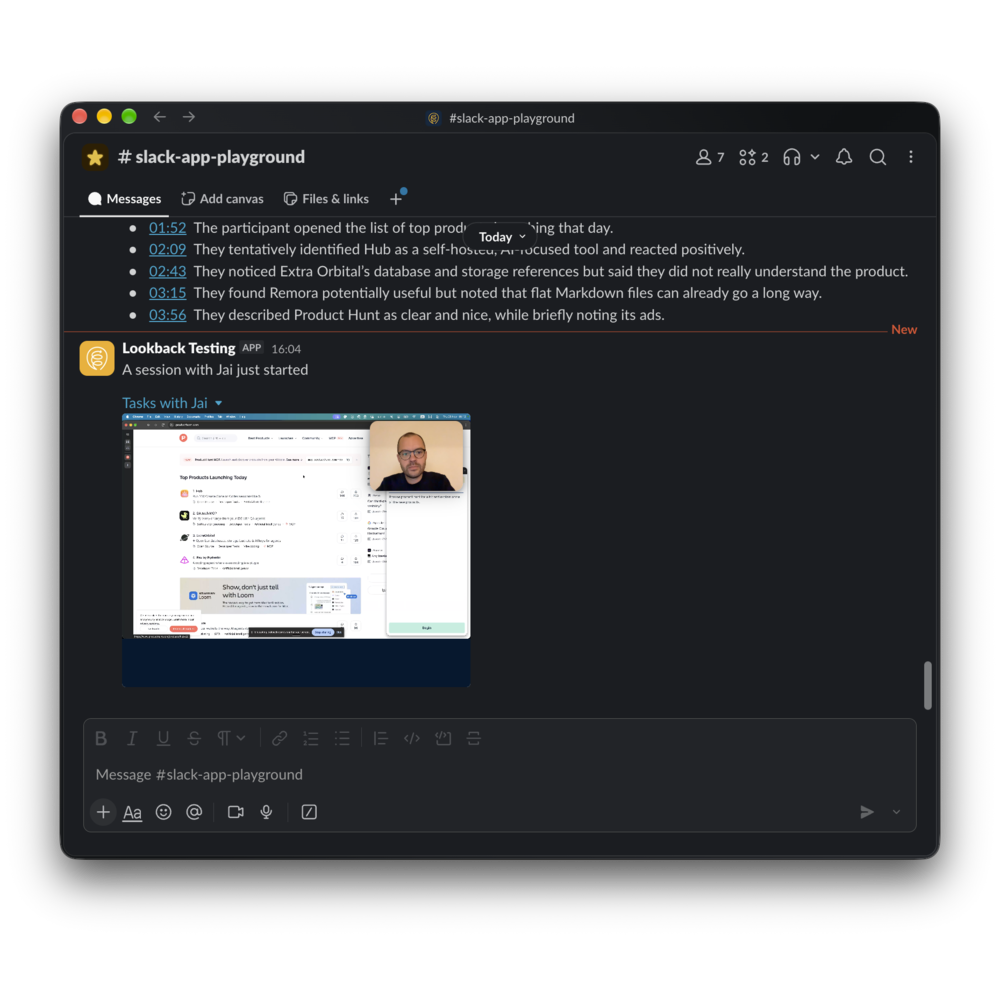
Live sessions
See sessions as they go live
When a session in a connected project goes live, Lookback posts it to the project’s channel: who’s moderating, who’s participating, and a video to watch it live.
When the session ends, Lookback replies in the thread with a session summary and the key moments, each with a timestamp that opens the recording at that point.
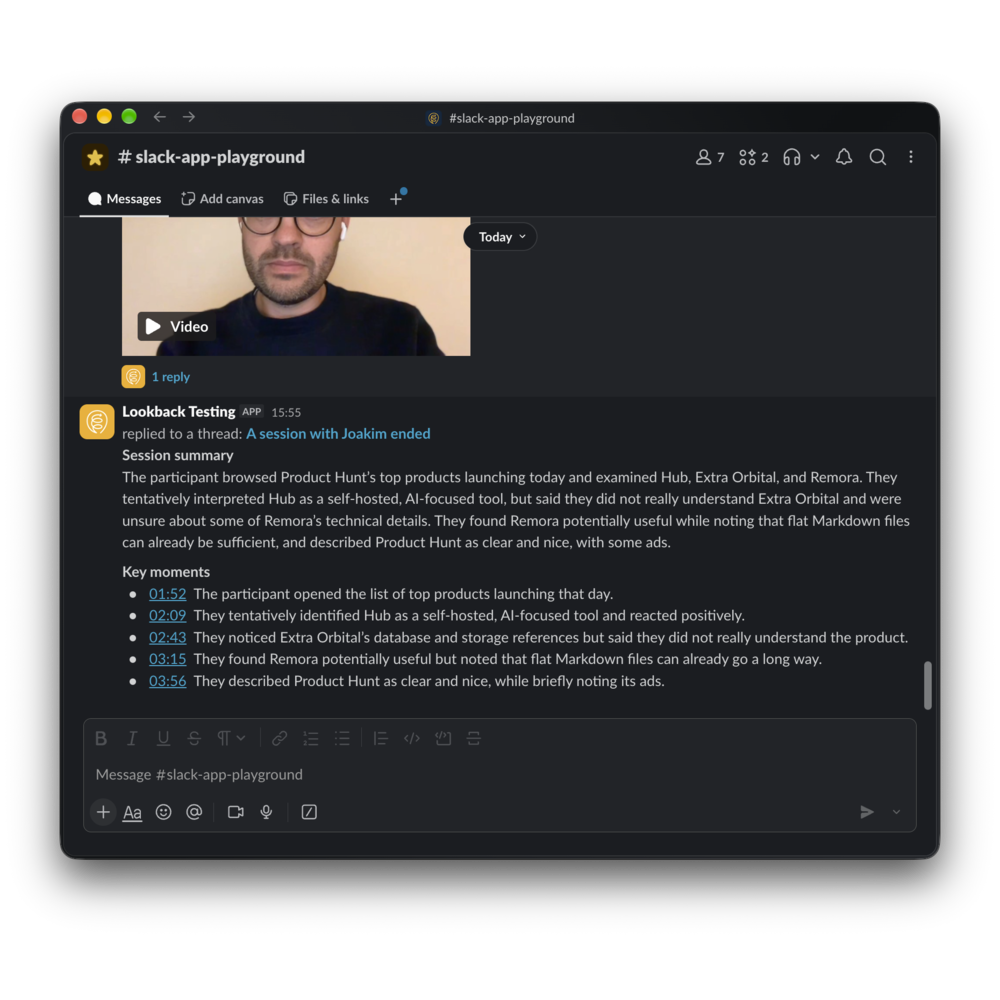
Recordings, reels and findings
Watch research without leaving the conversation
Paste a Lookback public link into any channel and it unfurls into a playable video, so your team can watch research without leaving the conversation.
Get started
- Connect your workspace. Click Add to Slack and log in to Lookback. Under Slack integration, click Connect Slack, then Allow in Slack. You need to be an Owner or Admin of your Lookback organization, with Public Links turned on.
- Invite Lookback to a channel. In a public Slack channel, type
/invite @Lookback. - Pick the channel for a project. In Lookback, open the project’s Settings and select the channel under Slack notifications.
- Share a public link. Paste the public link of a recording, reel or finding into any channel to watch it there.
Step by step, with troubleshooting: Slack notifications in the Help Center.
Pricing
The Slack app is included with every Lookback subscription, at no extra cost. See Lookback’s plans.
Privacy
Lookback posts only to the public channel each project picks. Posts show the participant’s name, and everyone in the channel can watch the session through its public link, so pick a channel whose members should have access. Revoking a public link stops the video playing in Slack. Read the privacy policy.
Support
Read Slack notifications in the Help Center, or contact us from the chat on help.lookback.io.
Bring your research into Slack